
No Spend November Tracker, Free Spreadsheet, Australia (Excel and Google Sheets)
On Sale
A$0.00
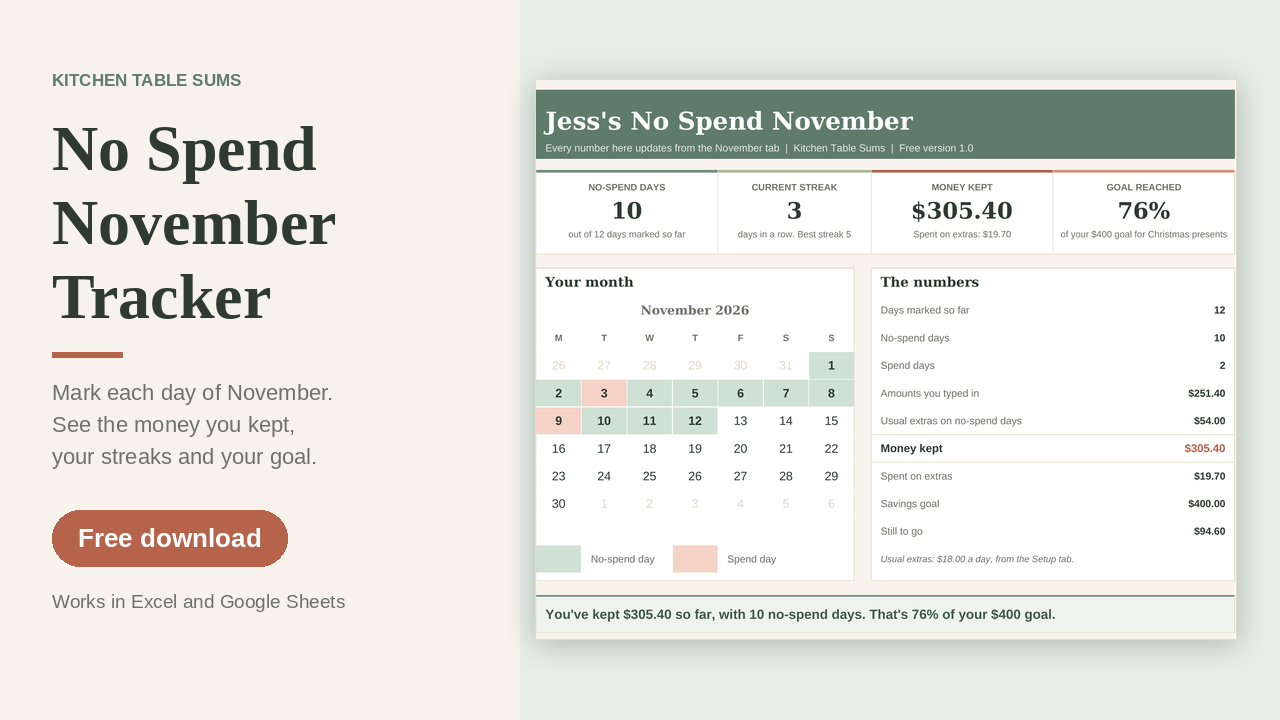
A simple spreadsheet for a no-spend November. Each day you mark whether it was a no-spend day and what you didn't buy. The sheet adds up the money you kept, counts your streak and shows how close you are to a savings goal.
Who it's for
Anyone in Australia who wants to cut back on the extras for a month and see what that adds up to. It works for one person or a whole household. It isn't a full budget and it doesn't track every purchase.
How it works
- Set it up. Type what you usually spend on extras in a day, like coffee, takeaway and impulse buys. Add a savings goal if you like, and list the essentials that are still allowed, like groceries, bills and petrol.
- Mark each day. Pick Yes or No for each day from 1 to 30 November. Note what you didn't buy and, if you know it, what it would have cost.
- Watch it add up. The cards and the Dashboard show your no-spend days, your current and best streak, the money kept and a calendar of the month.
What you get
- Four tabs: Start Here, Setup, November and Dashboard
- A copy with a made-up example so you can see how it works, and a BLANK copy to start fresh
- A dark mode copy of each
- Locked formulas, so nothing breaks if you type in the wrong spot
Works in Excel and Google Sheets. Made for Microsoft Excel 2019 or later, Microsoft 365 and Google Sheets. Not for Apple Numbers.
General information only, not financial advice.
From Kitchen Table Sums.